Skip to content
Flowboost

Changelog

The latest Flowboost product updates and improvements.

Project activity

Every project now has an Activity tab that shows what changed, who changed it and whether it came from you, Wolfy or Claude. Dashboards show the metrics you pick, and two new alerts find spend that never converts.

Every project now has an Activity tab in its settings. It shows what happened in the project on one timeline, newest first: automation runs with the changes they made or proposed, Labelizer runs, generated reports, settings changes and Wolfy proposals that were dismissed or expired. Each settings change says who made it and whether it came from the app, Wolfy or Claude and Codex.
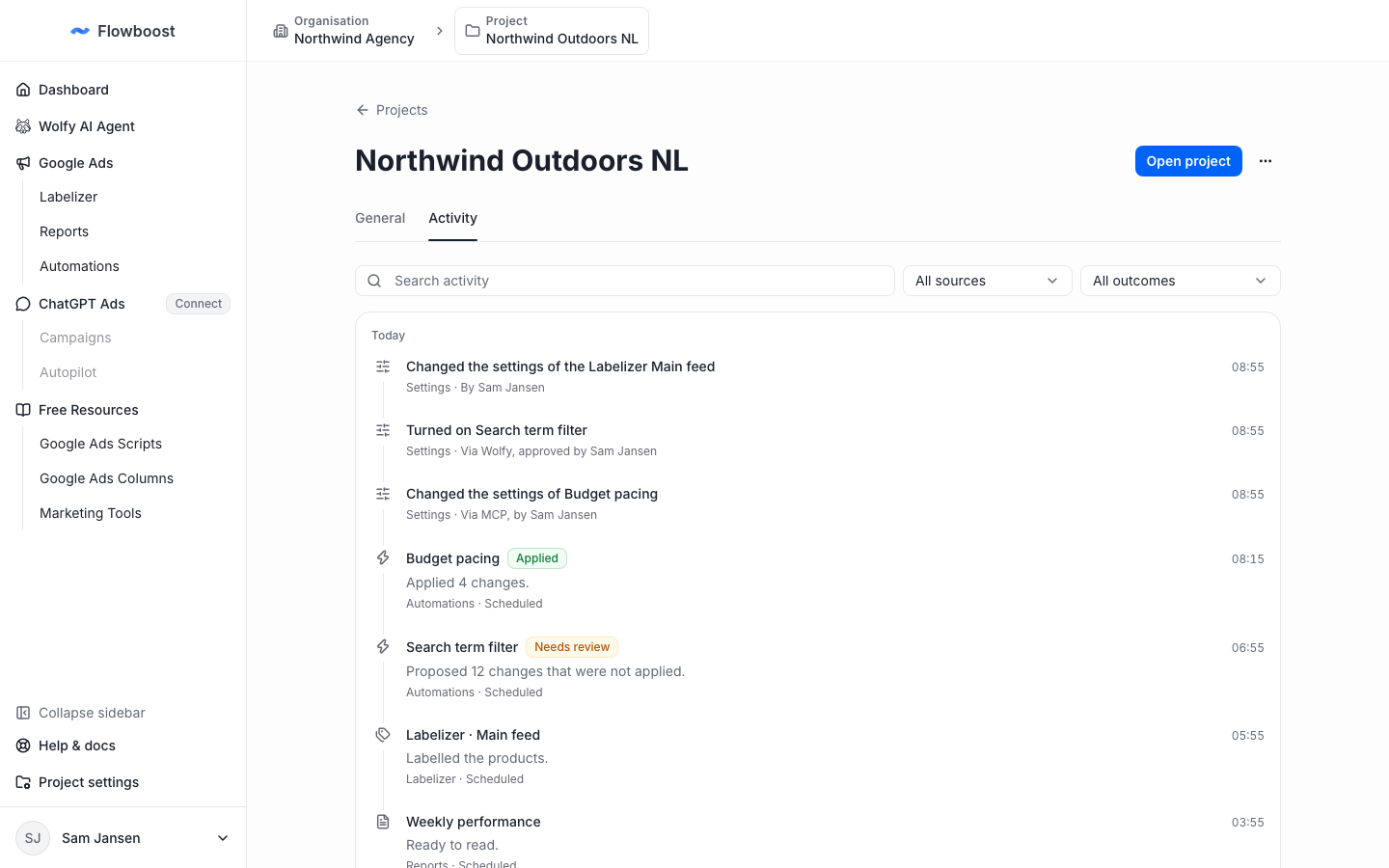
Activity tab in project settings with automation runs, a Labelizer run, a report and settings changes made via Wolfy and MCP

Filter by source or outcome, or search the timeline. Open your project's activity.

Pick the metrics on your dashboard

Use the Metrics menu above the summary cards to choose what the project overview, the Google Ads dashboard and the ChatGPT Ads dashboard show. Dashboards also load faster, because the numbers for projects you visit are cached. Open your dashboard.
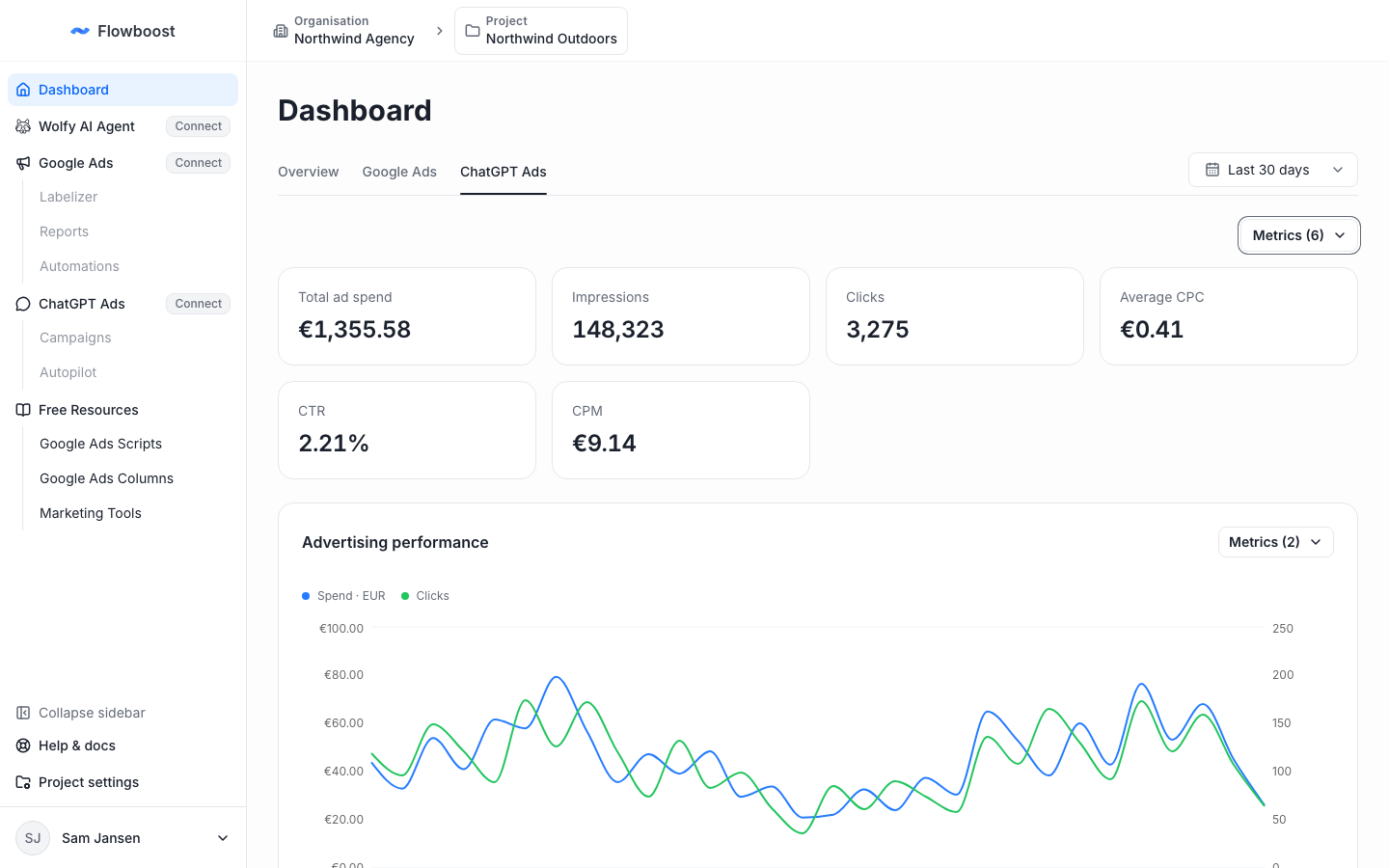
ChatGPT Ads dashboard with CTR and CPM added to the summary cards from the Metrics menu

Alerts for spend without conversions

Two new alerts look for spend that never turns into a sale. Search terms spending without converting reports searches that cost at least a set amount in a campaign without a conversion. Products spending without converting does the same for each Shopping and Performance Max product, across campaigns. Both email you when something new shows up and never change your account.
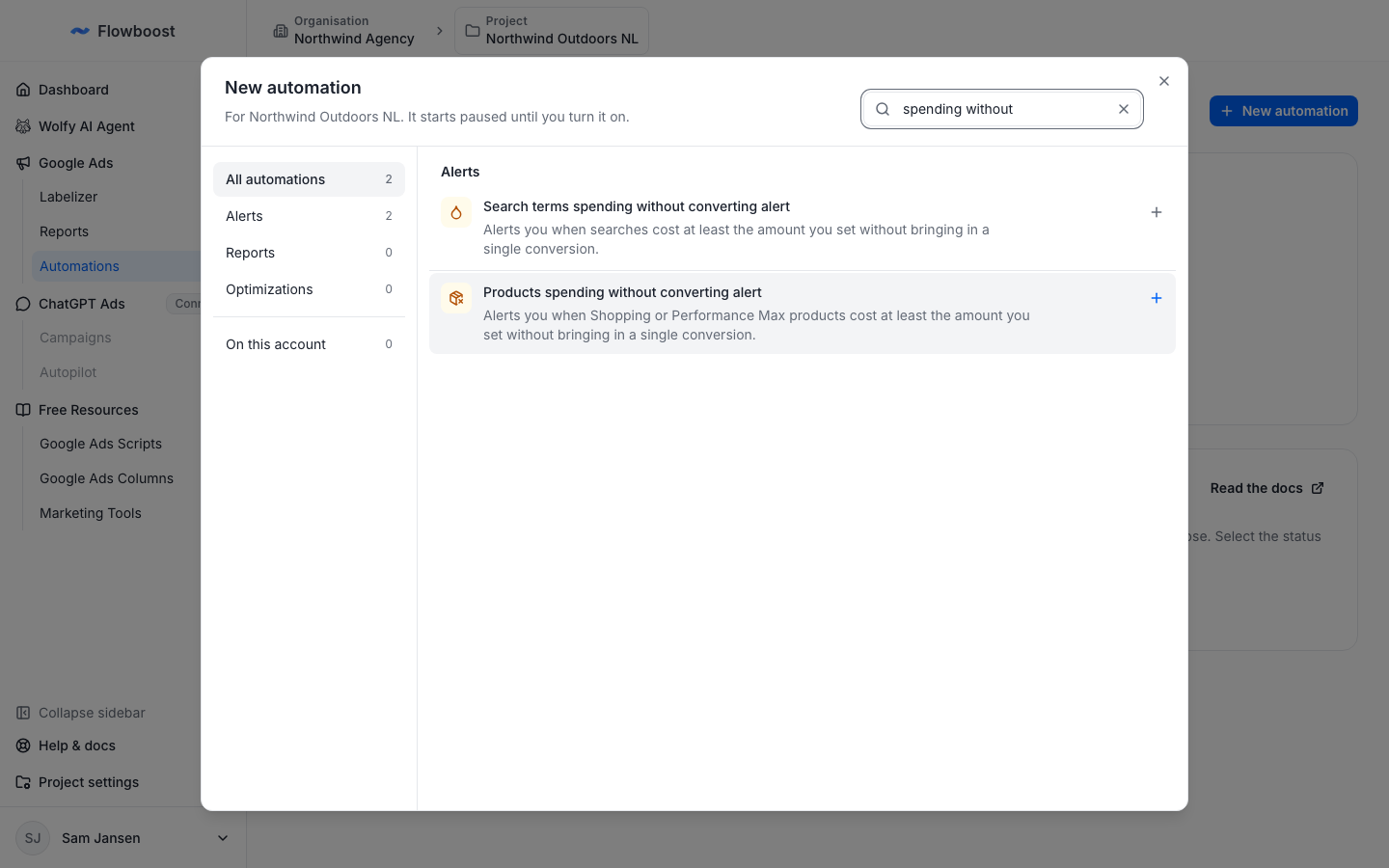
New automation dialog showing the search terms and products spending without converting alerts

To add one, choose New automation in Automations.
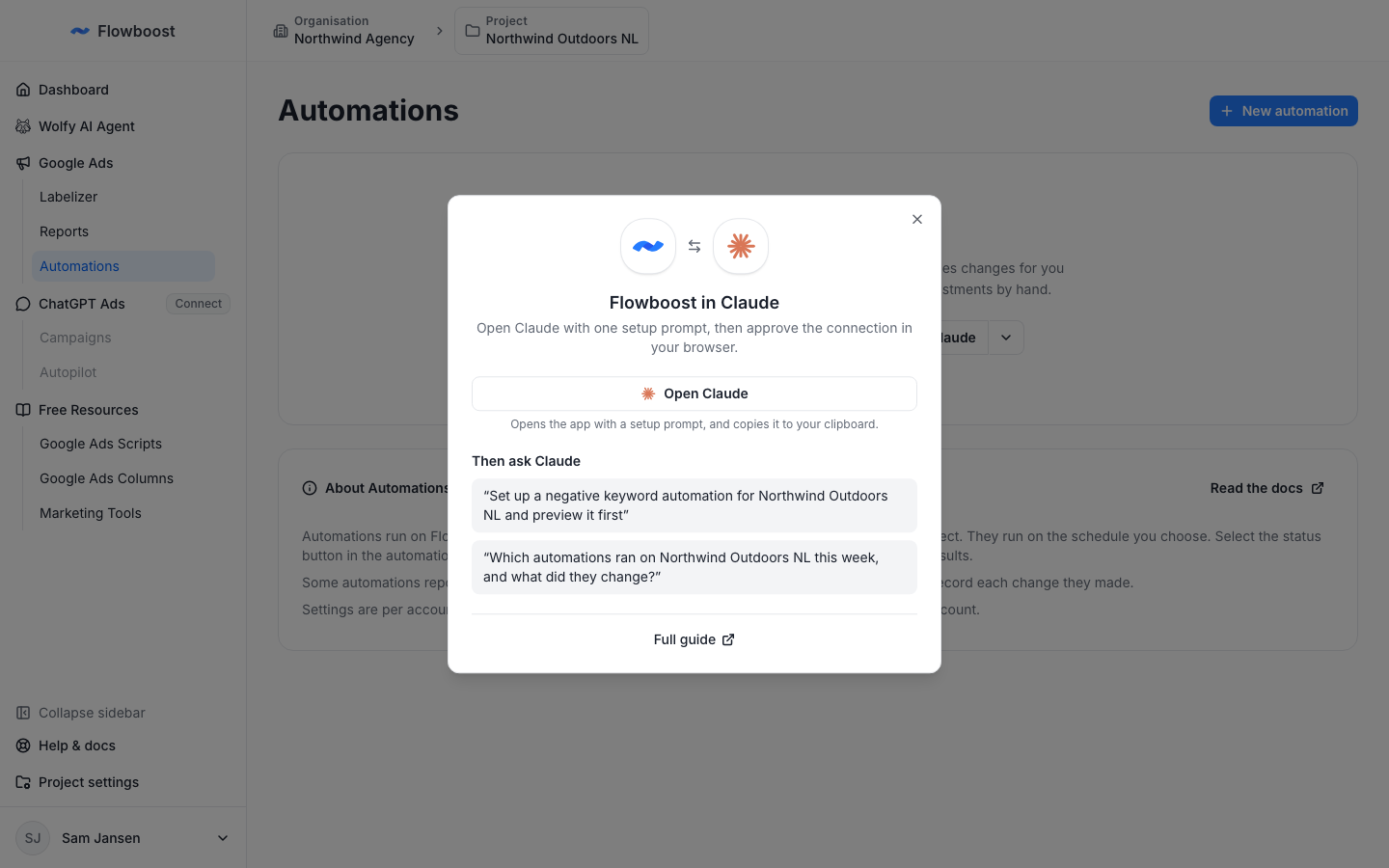
Flowboost in Claude and Codex

Claude, Claude Code and Codex can now work in your Flowboost workspace, and Wolfy can set things up for you from the chat. Agencies can group client projects and share them with guests.

Flowboost now has an MCP server, so Claude, Claude Code and Codex can work in your workspace for you. Ask them to review your projects, set up an automation or a report schedule, change Labelizer settings or ask Wolfy for analysis of your Google Ads accounts. You connect with your own Flowboost sign-in, and nothing goes live until you approve a separate step.

Connect Claude dialog on the Automations page, with prompts to try

To get started, choose Connect Claude on the Automations, Reports or Labelizer page, or read how to connect Claude and Codex.

Wolfy can set things up for you

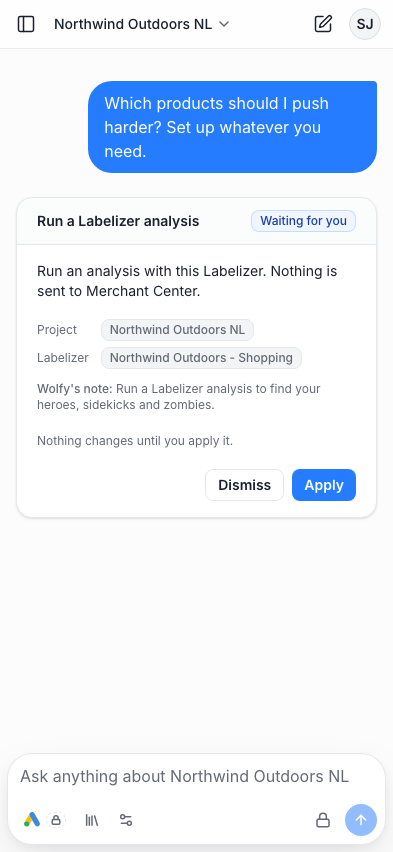
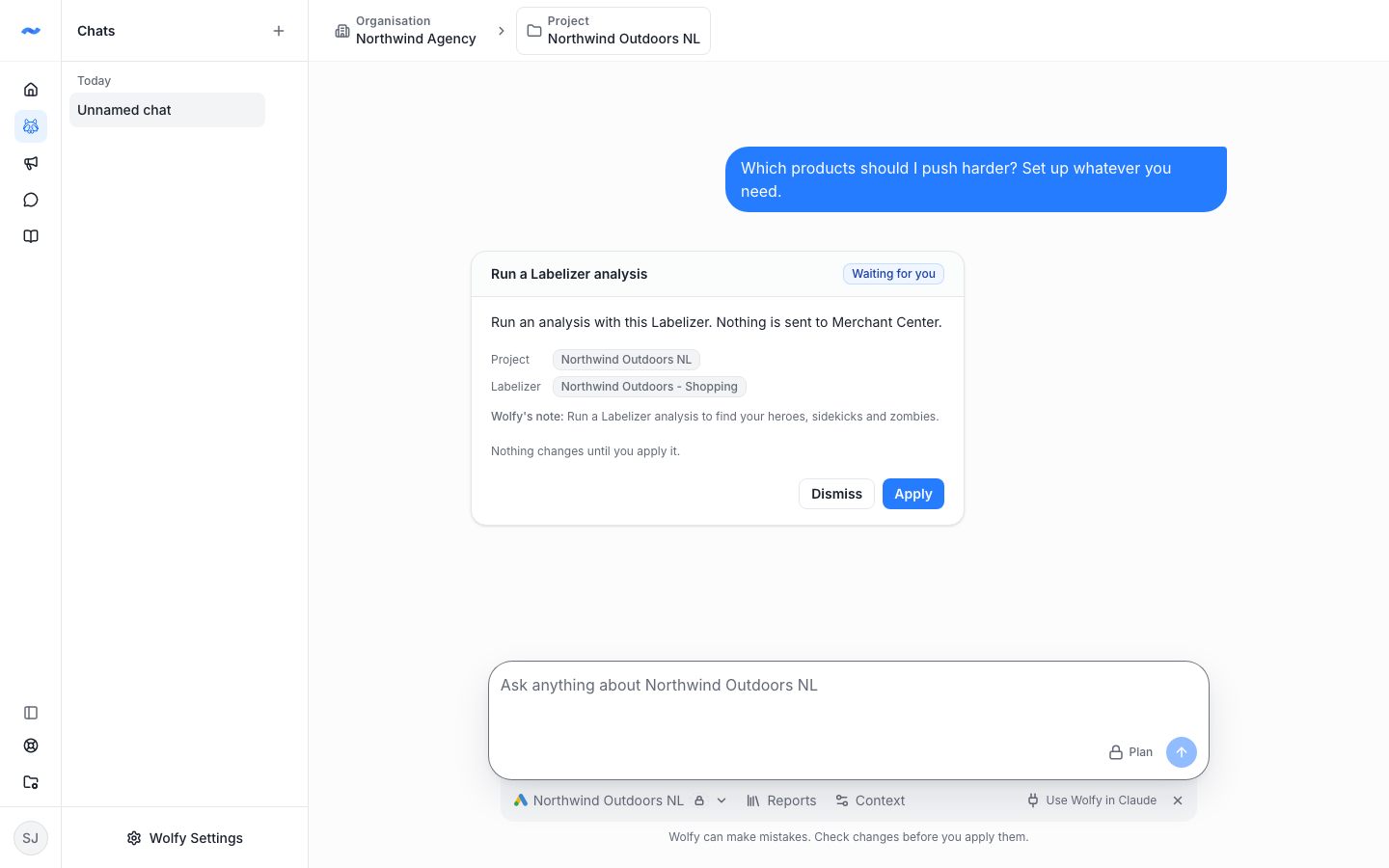
Ask Wolfy to create an automation, schedule a report or start a Labelizer analysis. It proposes the change on a card in the chat, and you apply it with one click. Wolfy never makes a change on its own, and your plan and access are checked again when you apply.

Wolfy chat with a proposed Labelizer analysis waiting to be applied

Manager projects and guests

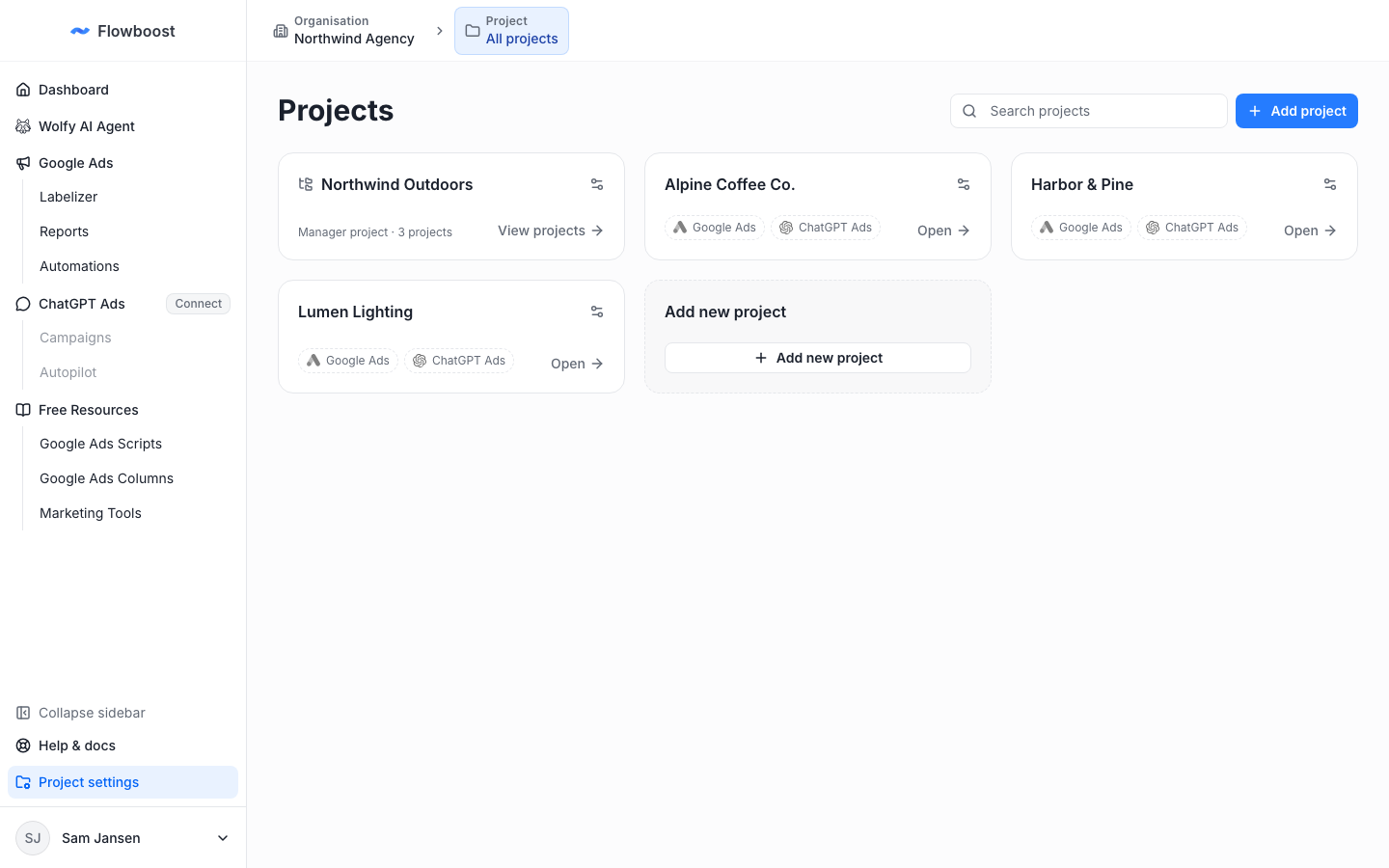
Running several projects for one client, such as one per country? Choose Convert to manager project in a project's ⋯ menu to group them. The Projects page then shows one tile per client, and each project inside works as before.

Projects page with a manager project tile holding three projects

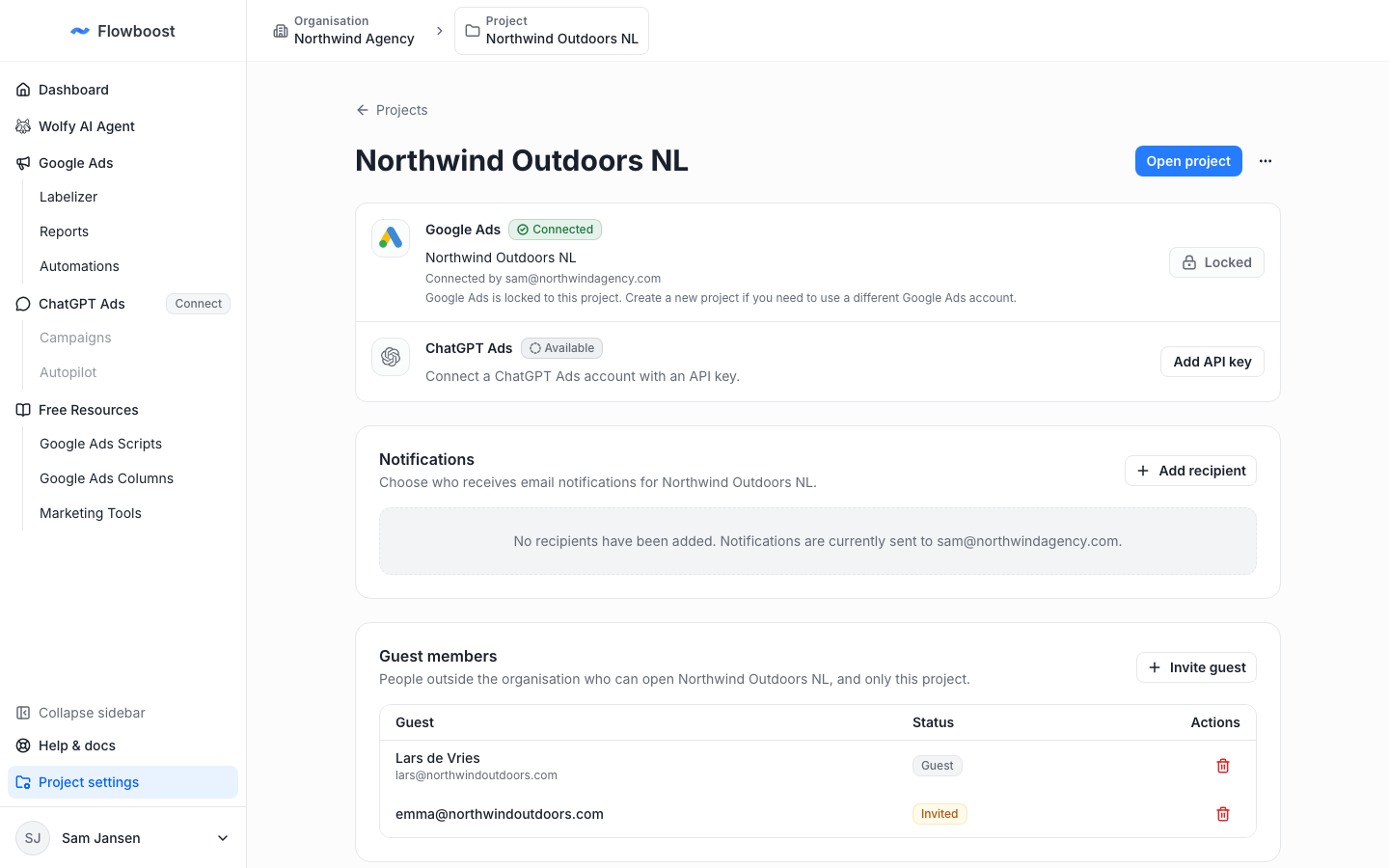
To give a client access, invite them from Guest members in the project's settings. A guest sees only the projects you share with them, never the rest of your organisation. Read how to add and manage projects.

Guest members card in project settings with a guest and a pending invitation

Flowboost on your phone

Every page was reworked for phones: one compact top bar, no sideways scrolling, dialogs that open as bottom sheets and a Wolfy chat that behaves like a messaging app.

Wolfy chat on a phone with a proposal card

Campaign Search Term Filter

A new automation keeps a campaign to the searches you allow and proposes everything else as a negative. ChatGPT Ads AI campaigns also no longer stop at 50 products.

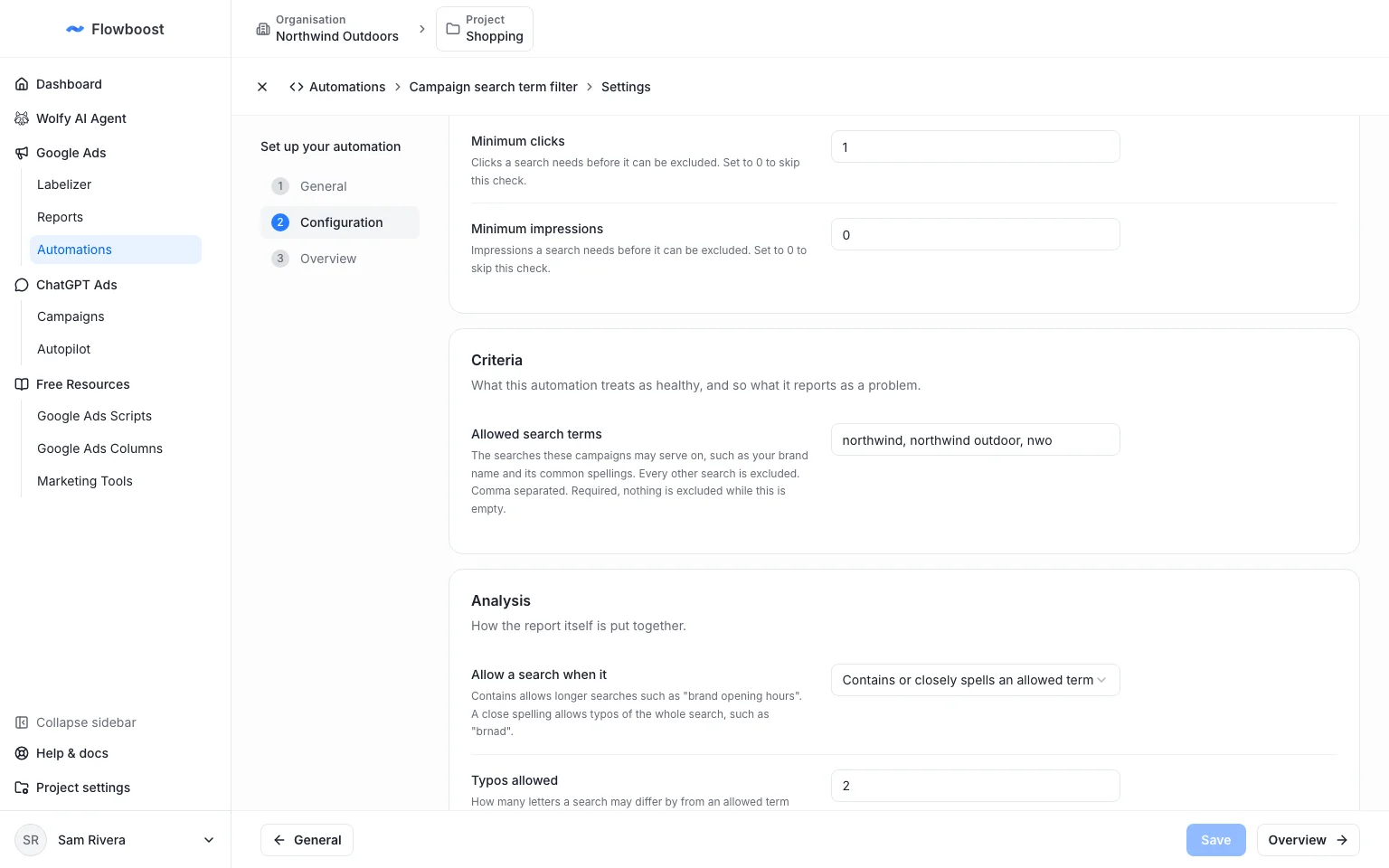
The Campaign search term filter started as one of our free Google Ads scripts and is now built in. Choose the campaigns, list the terms you allow, and every other search is proposed as an exact negative for you to review and apply. Close spellings can count as a match.

Campaign search term filter settings with allowed search terms filled in

To get started, choose New automation in Automations.
ChatGPT Ads without the product cap

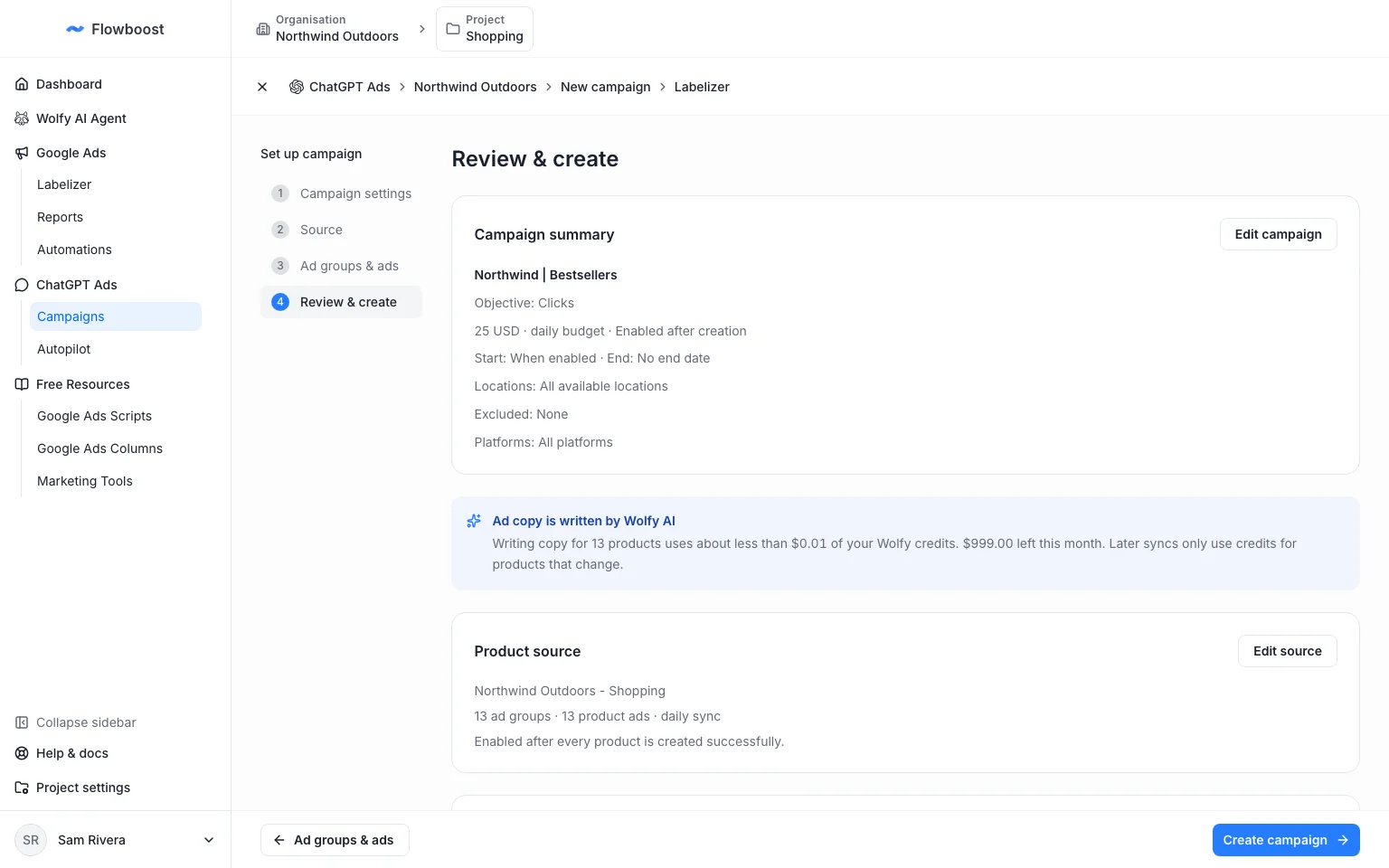
AI-written ad copy is now paid from your Wolfy credits, so the 50-product limit is gone. A launch your credits cannot cover is flagged up front with an estimate, and a sync that runs out of credits picks up again once they are back.

ChatGPT Ads review step showing the ad copy estimate in Wolfy credits

New Sign-in

Login and sign-up were rebuilt around the product itself. Automations also email you now whenever they change your account.

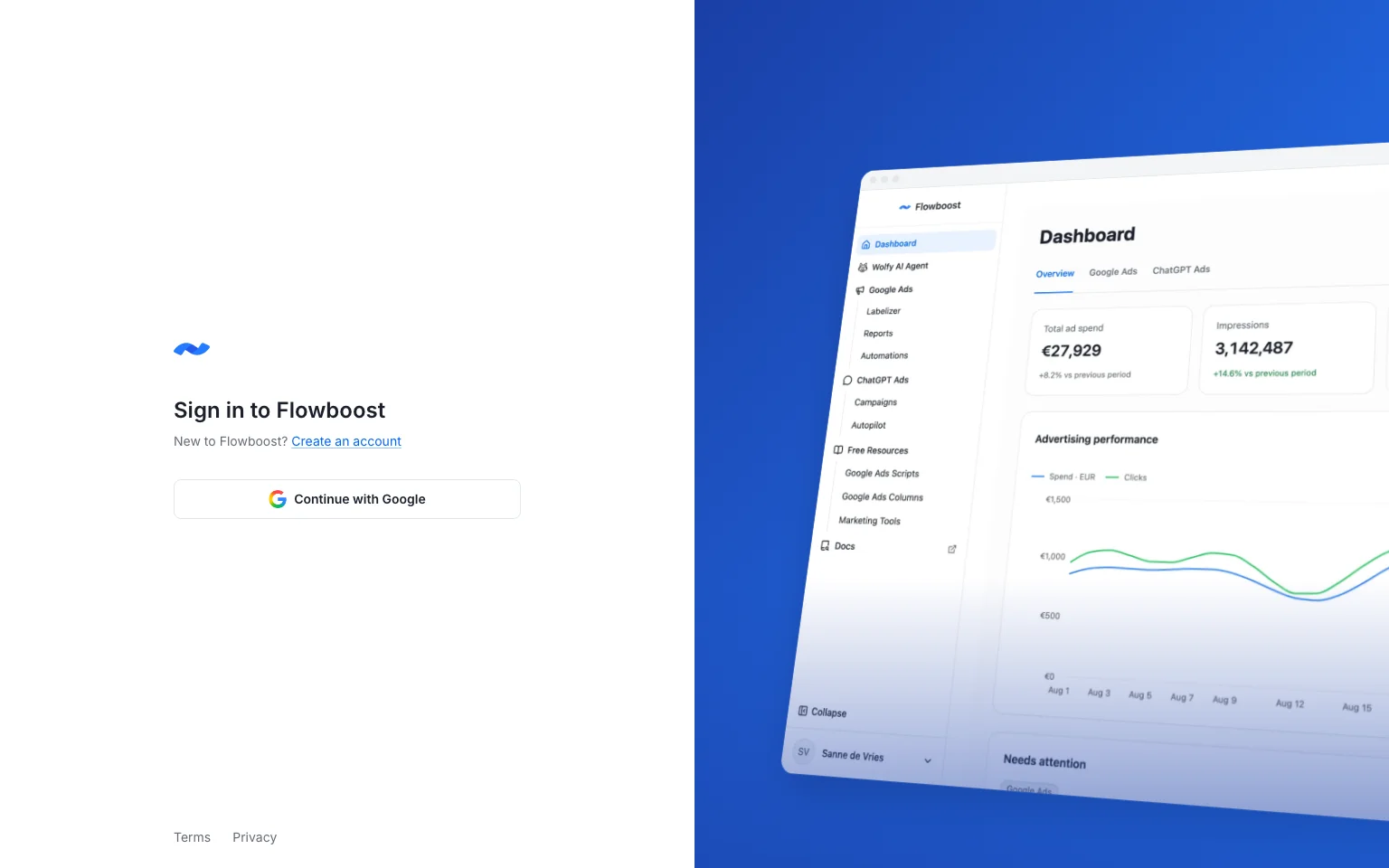
The sign-in page still introduced Flowboost as a scripts library. It now shows the product, with one Google button, and sign-up has its own page that says what you are signing up for.

New Flowboost sign-in page with Continue with Google

Know when an automation changes your account

Automations that change your account (adding keywords, raising budgets, cleaning negatives) now email your project's notification recipients after each run, with a link to the run log.

Eight New Automations

Eight more automations are now available, most of them alerts that catch problems before they cost you money. You can also run several copies of one automation, each with its own settings.

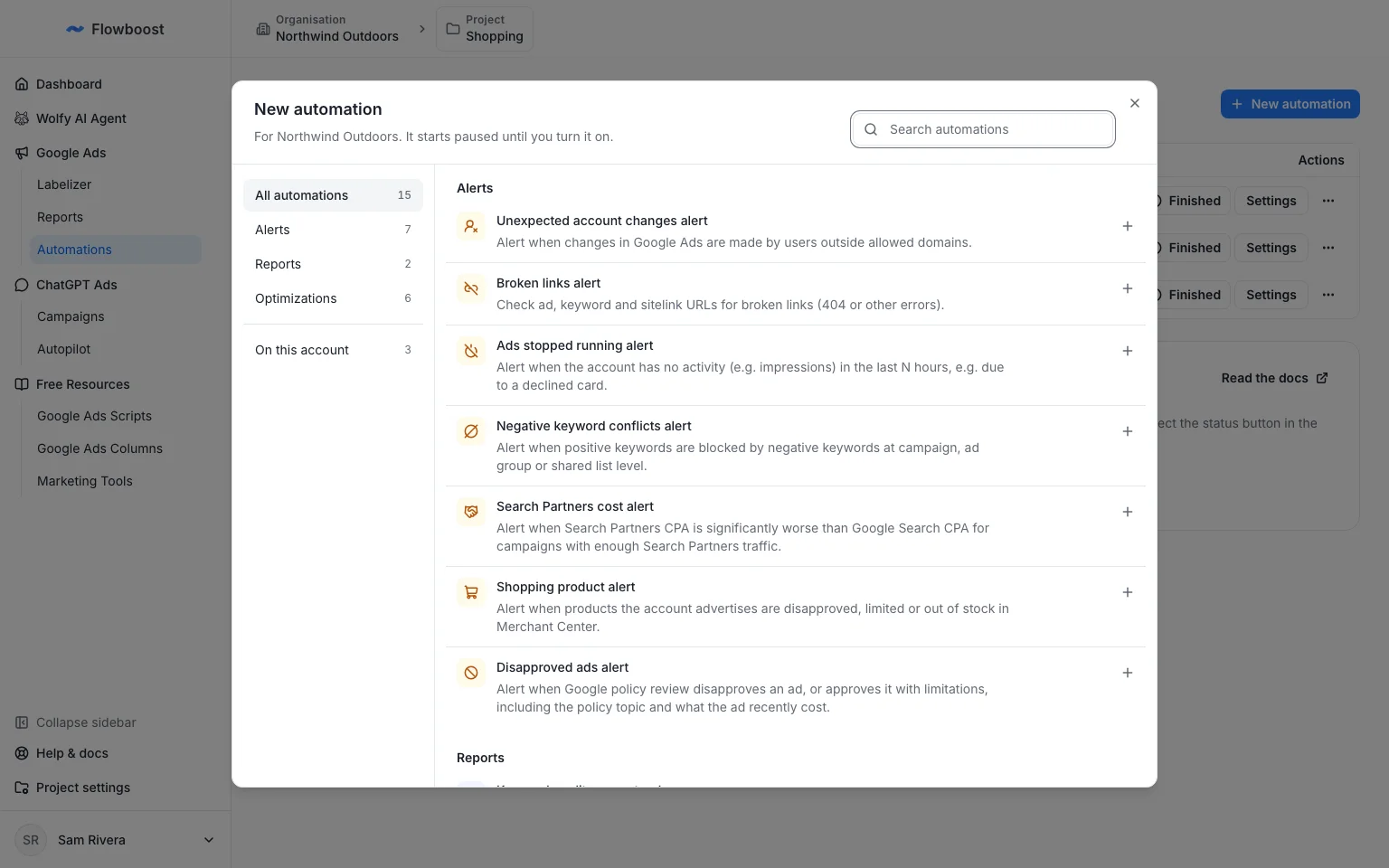
New alerts: Broken links, Ads stopped running, Search Partners cost, Disapproved ads, Shopping product, Negative keyword conflicts and Unexpected account changes. Alongside them, Negative keyword cleaner removes negatives that block your own converting traffic.

New automation catalog listing the seven alerts

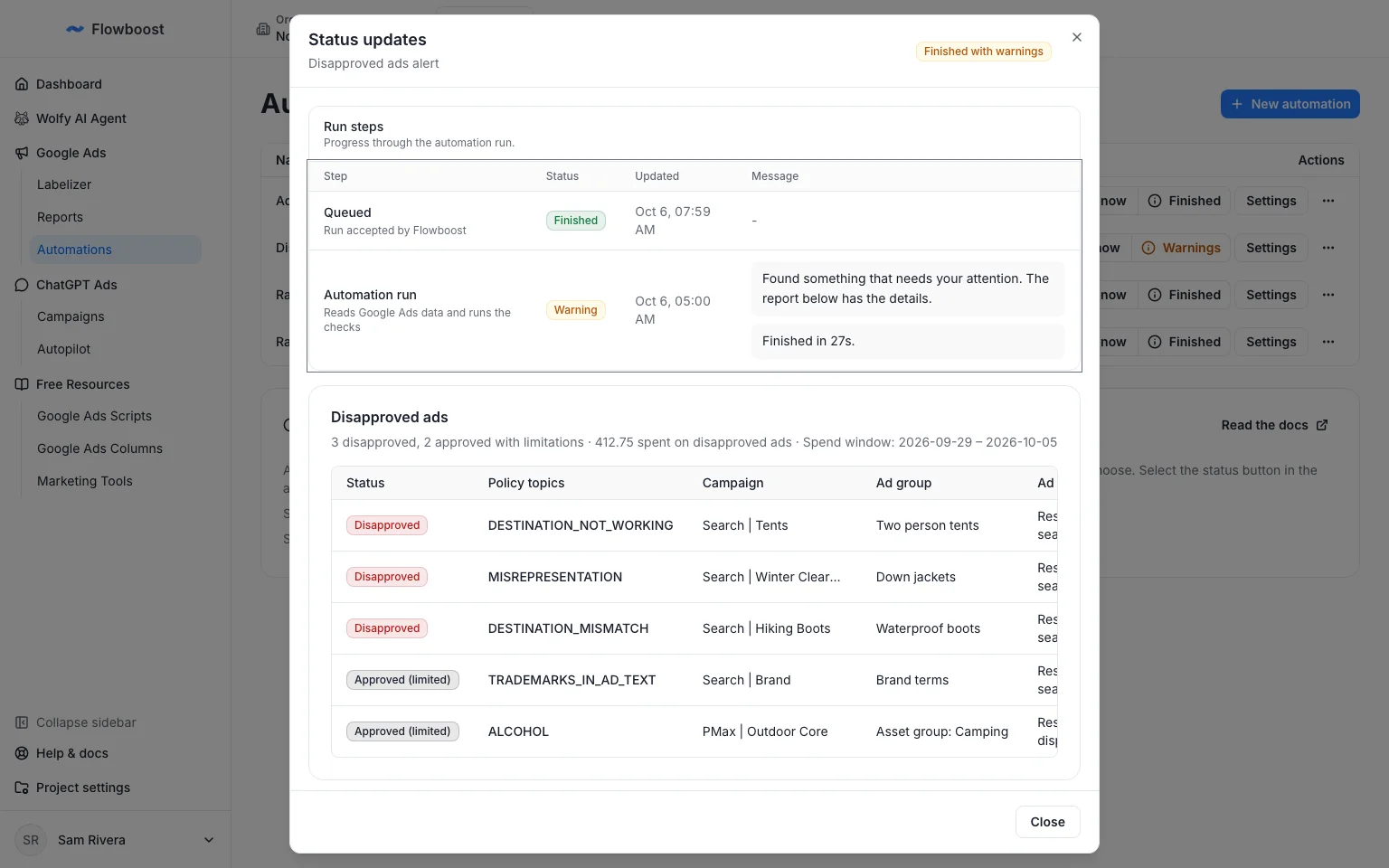
Each alert run lists exactly what it found, such as the ads Google disapproved, the policy behind it and the campaign it sits in.

Disapproved ads alert run listing disapproved and limited ads with their policy topics

Named copies

Add an automation from the catalog as many times as you need, give each copy a name and configure it on its own. One budget rule for brand campaigns and another for generic is now two copies instead of a compromise.

To get started, choose New automation in Automations.