
ChatGPT Ads Campaign Editing
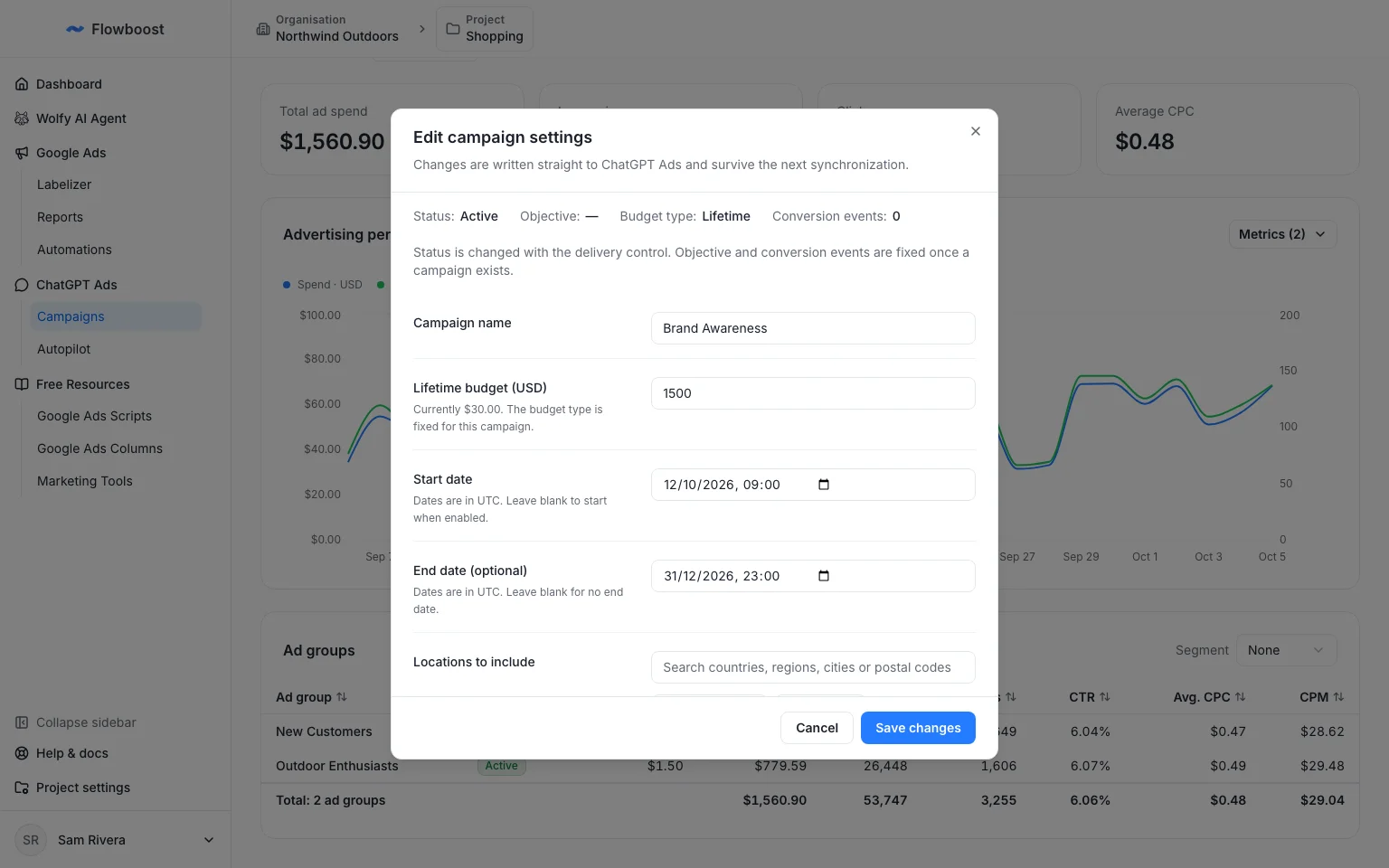
ChatGPT Ads campaigns can now be edited after launch. Change the name, budget, schedule, locations and platforms from the campaign page, and your changes survive the next sync.
A campaign used to be frozen once it was created. Now open a campaign and choose Edit settings, or use the row action in the campaigns table. Changes are written to ChatGPT Ads and to Flowboost together, so a Labelizer or feed sync no longer reverts them.
Creating a campaign got the same treatment. Manual, Labelizer and Feed campaigns now share one flow with the same bidding, budget, schedule and targeting options, and manual campaigns support several ad groups.
To get started, open a campaign in ChatGPT Ads or read how to manage synced campaigns.